
The daily record. The bigger picture.
From the programme to the gate register: progress, decisions, people and resources in one connected workspace.

On site, every day
Built for the site. Clear in the office.
Site Desk keeps a project's programme, daily reports, gate register, procurement and meetings together, so what happens on site is on record for everyone who needs it.
Photo: HR Surveyors (uploaded by Cvstr), CC BY 4.0, cropped · Credits
01 · Oversight
See what needs attention. Know where to look.
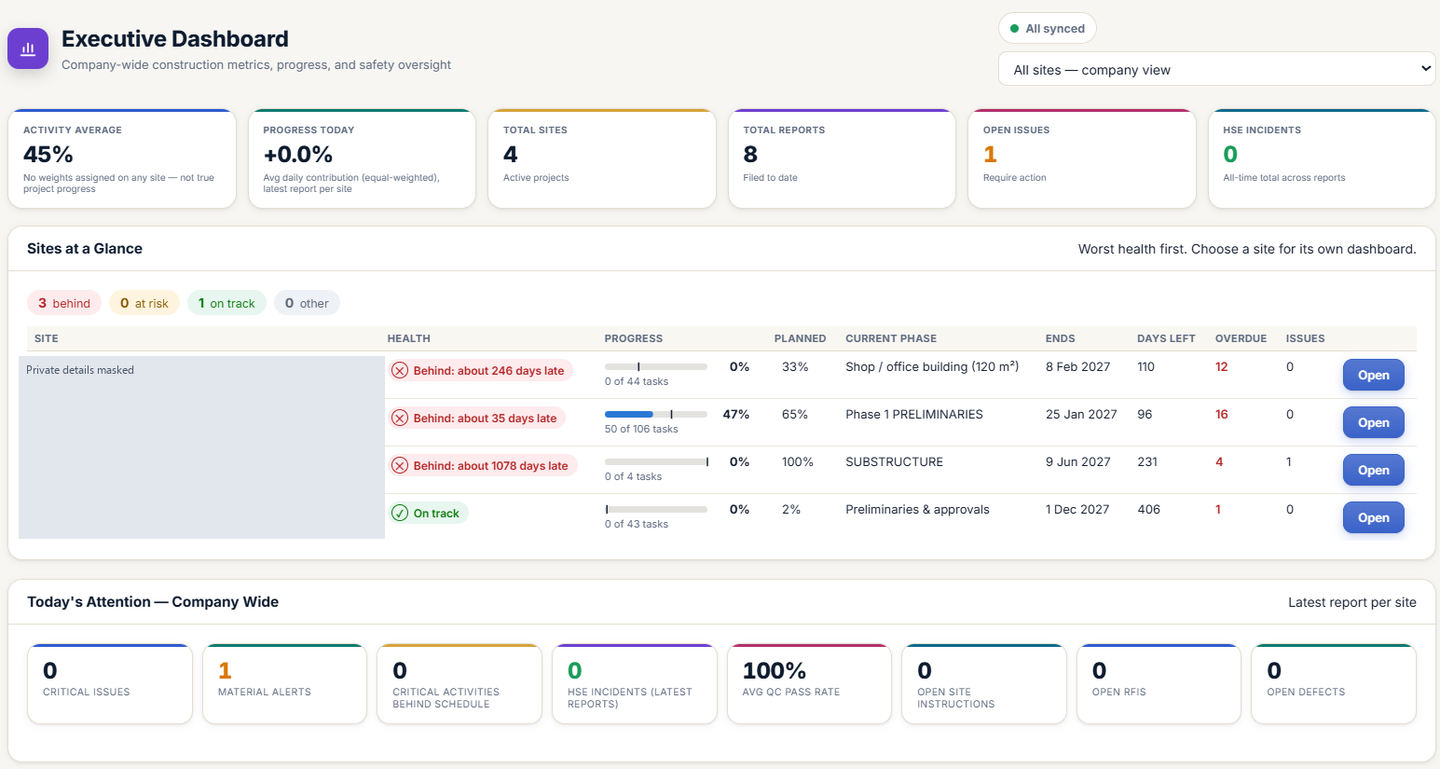
The company view brings sites together. The project view connects progress, remaining work, upcoming tasks and the issues that need a decision.
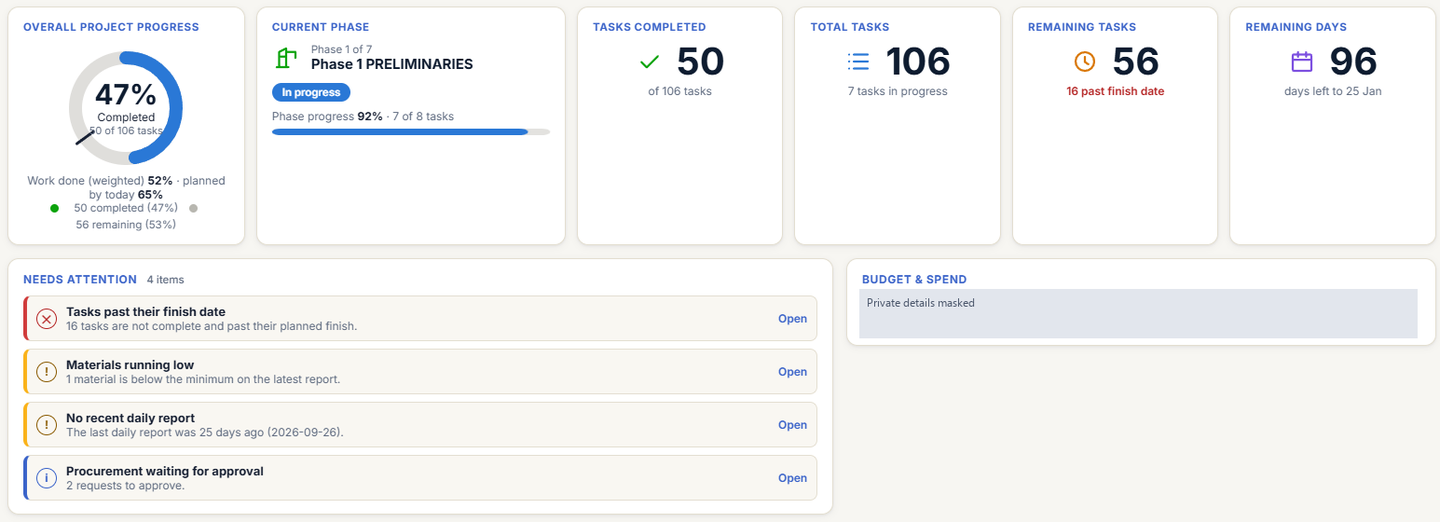
Real Site Desk screens, supplied for this walkthrough. Personal details, project identities and access codes are masked. Figures shown are interface content, not product performance claims. Click any screen to open it full size.
02 · Planning
A programme you can work with.
Build the schedule, connect dependencies and inspect the critical path. Then carry it into short-term planning and a readable export.
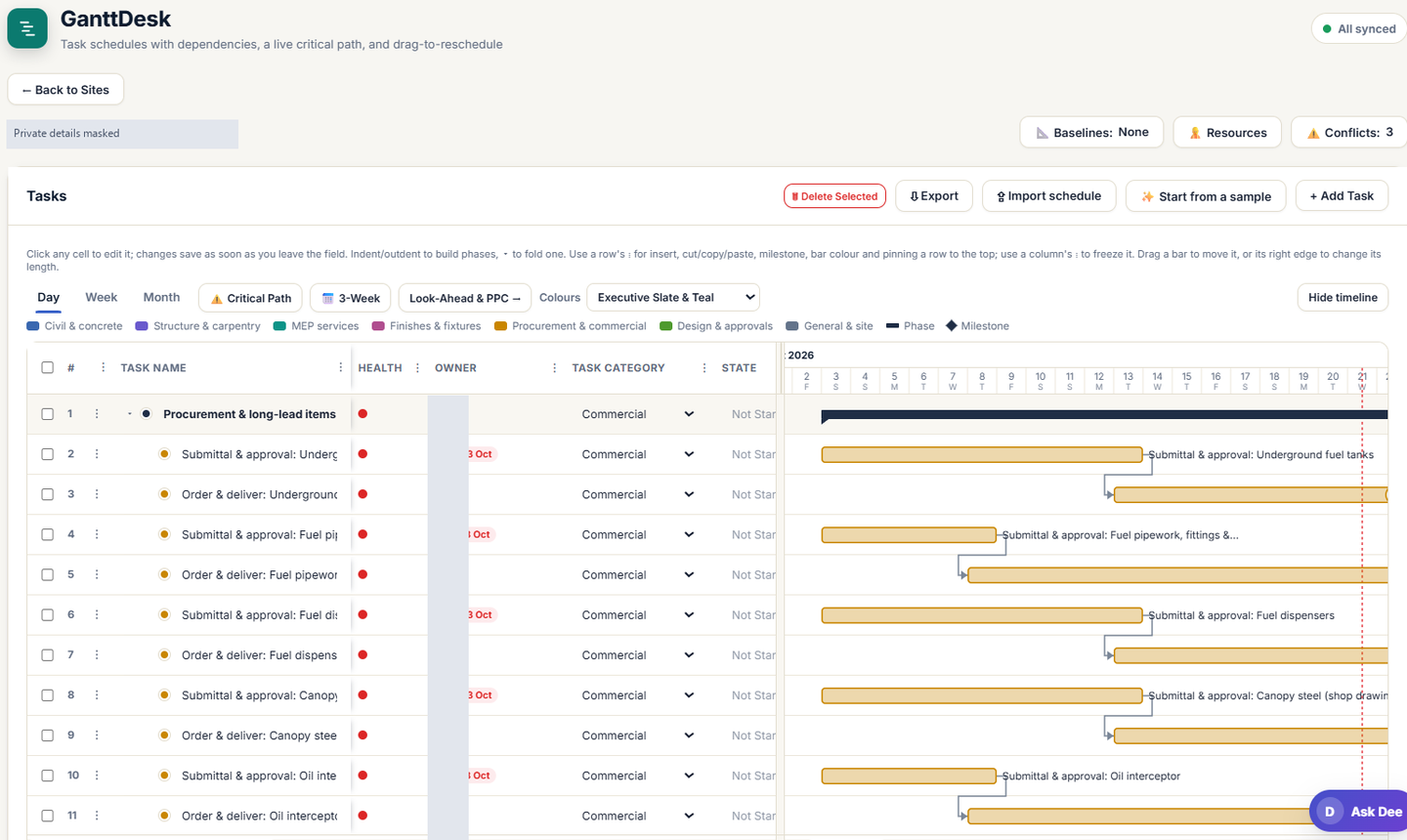
GanttDesk
Connect tasks. See dependencies.
Task schedules, owners, categories and linked activities alongside the programme.
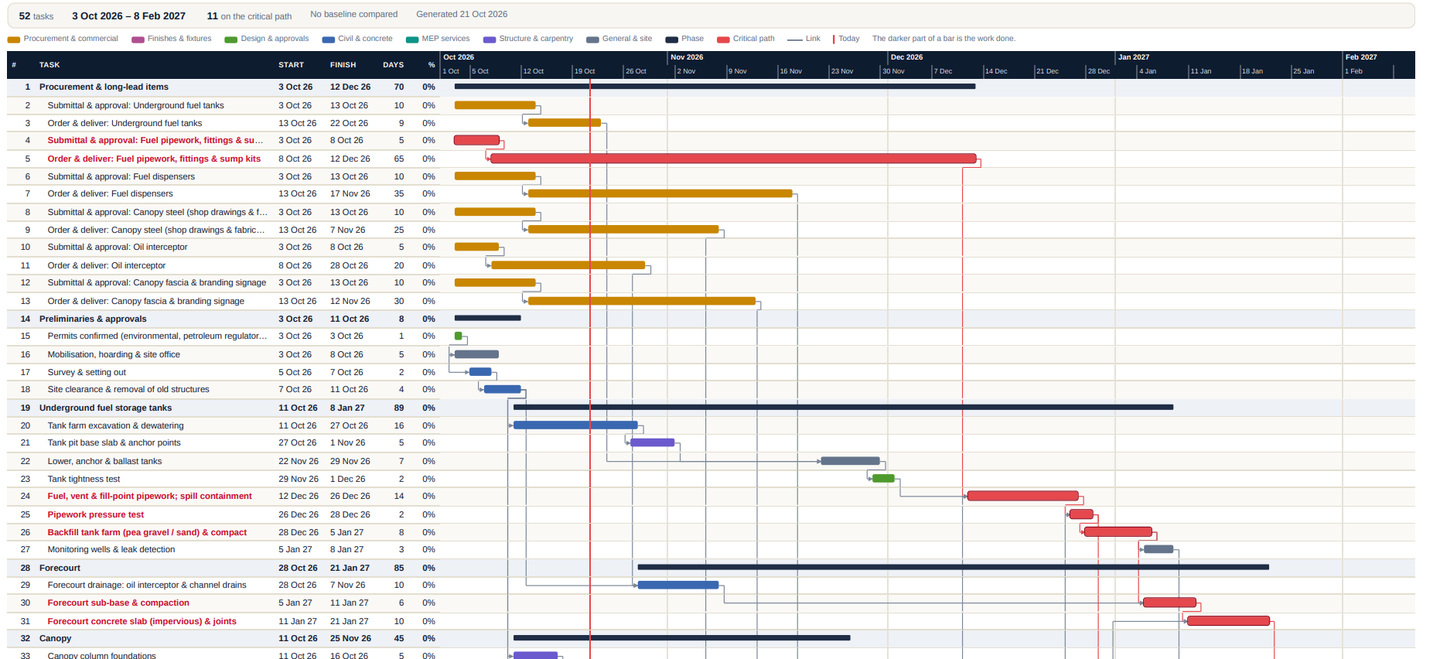
Schedule export
Take the programme into the meeting.
A shareable schedule view with dates, links, phases and critical-path highlights.
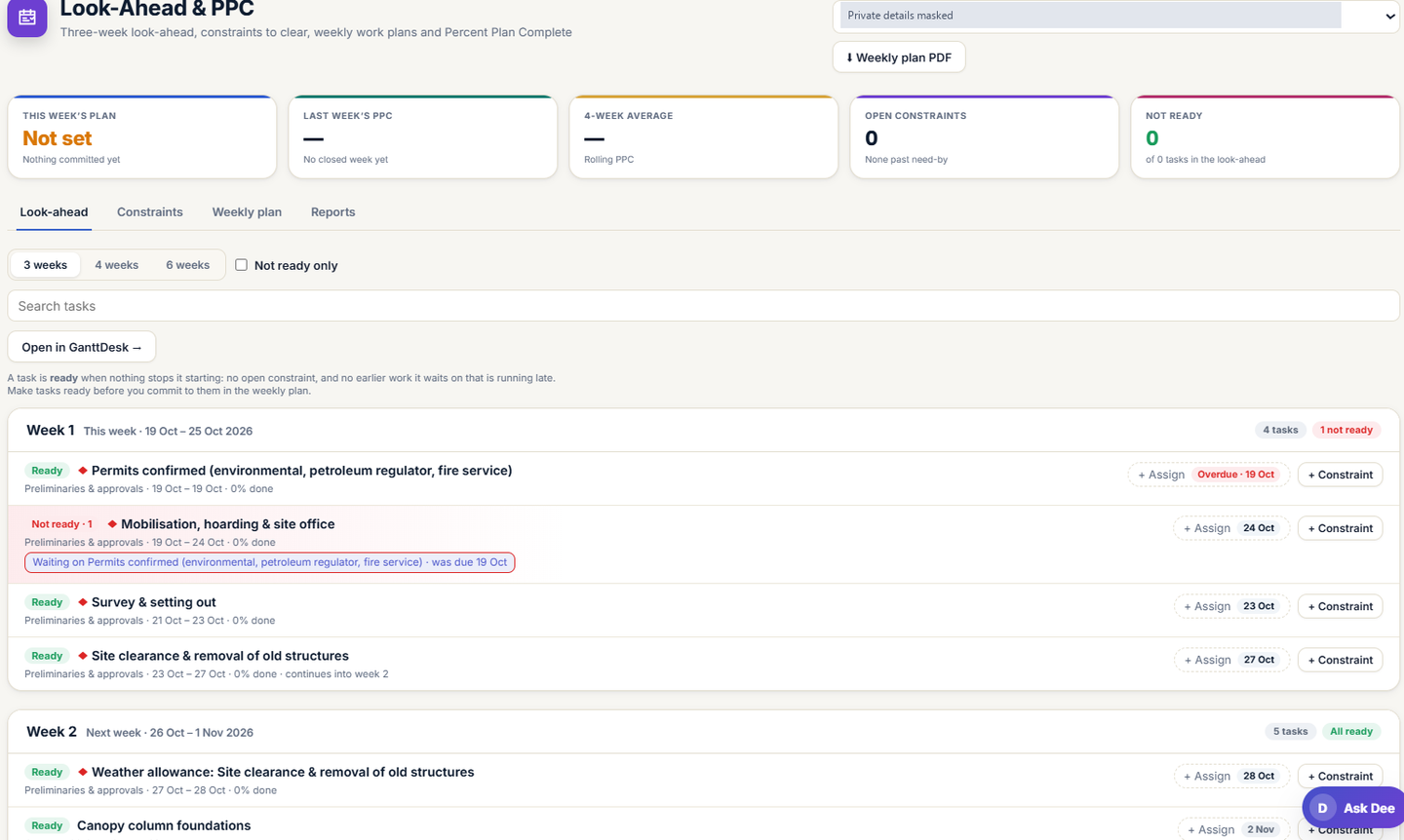
Look-Ahead & PPC
Turn the plan into the next few weeks.
Review upcoming tasks, constraints and readiness before committing work to a weekly plan.
- Three-, four- and six-week views
- Weekly plans and constraints
- Percent Plan Complete reporting
03 · Site operations
The records behind the day's work.
Daily reports, materials and safety records sit alongside the programme, not in a pile of separate files.
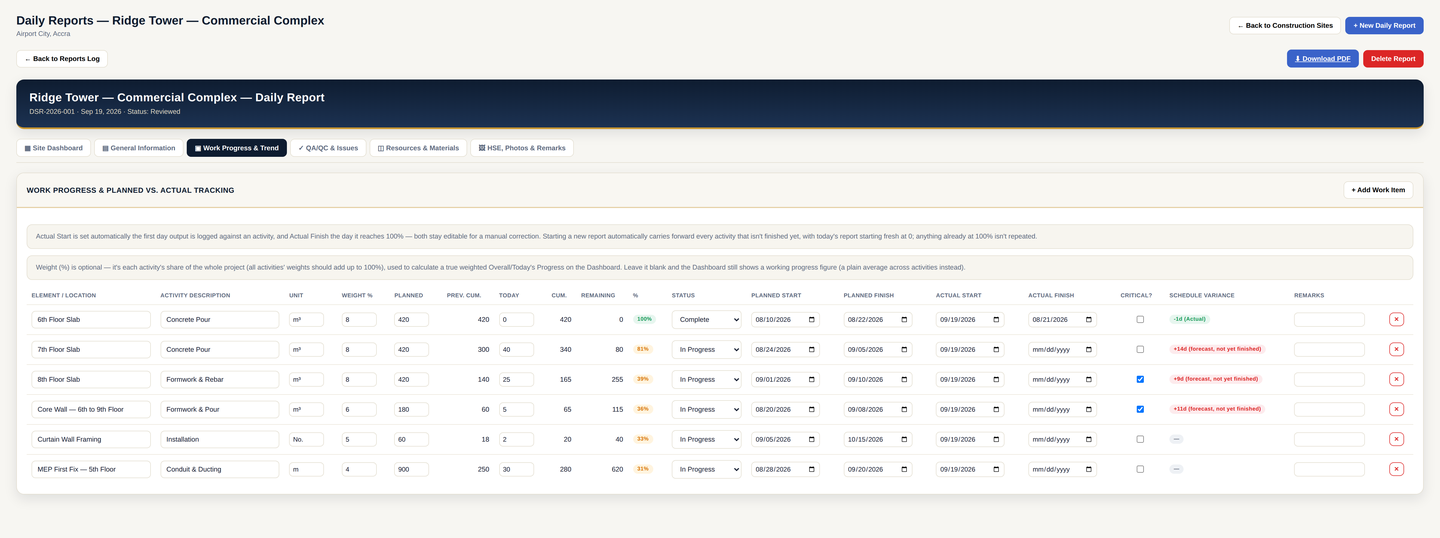
Work progress
One report. Several disciplines.
Track planned and actual work, record the resources used and keep issues attached to the day's activity. Shown with example project data.
- Report-level and company-wide views
- Site photos and downloadable PDF reports
- Access scoped to the team and site
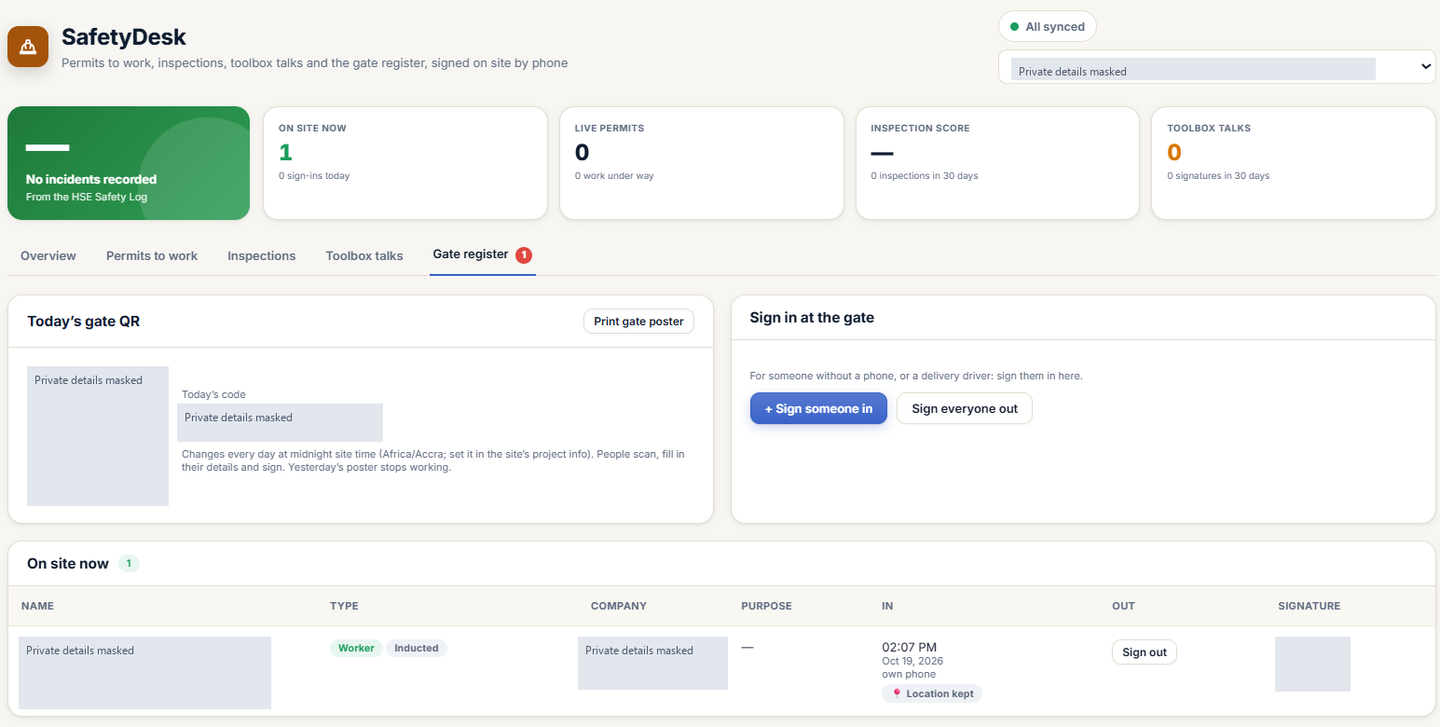
SafetyDesk
Safety and the site gate, together.
Permits, inspections, toolbox talks and gate records in one safety workspace.
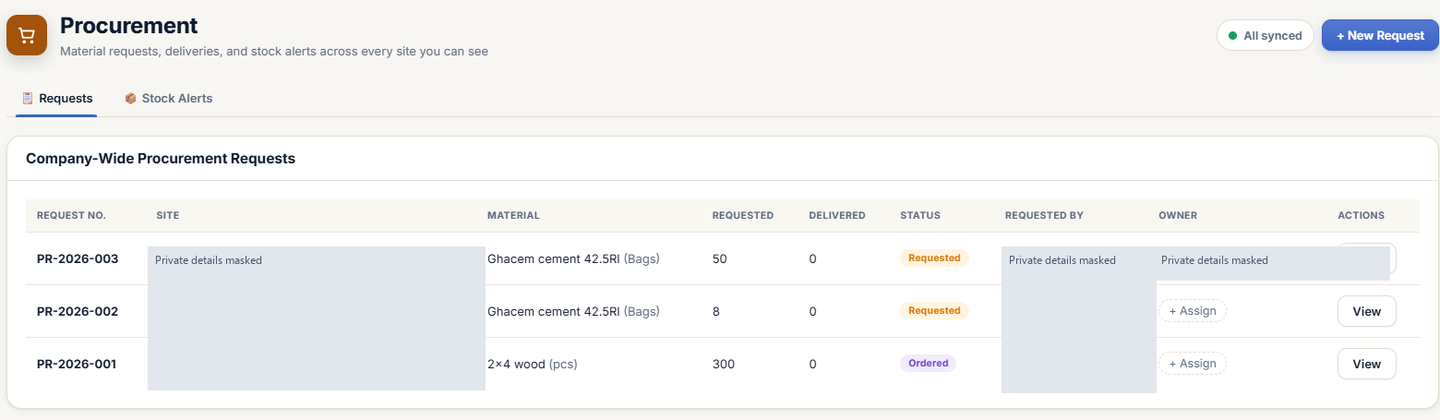
Procurement
Track the request through to delivery.
Requested materials, delivered quantities and status across the sites your team can access.
04 · People & decisions
Keep the conversation attached to the work.
Meetings, responsibilities and role-based access help each person see the records that matter to them.
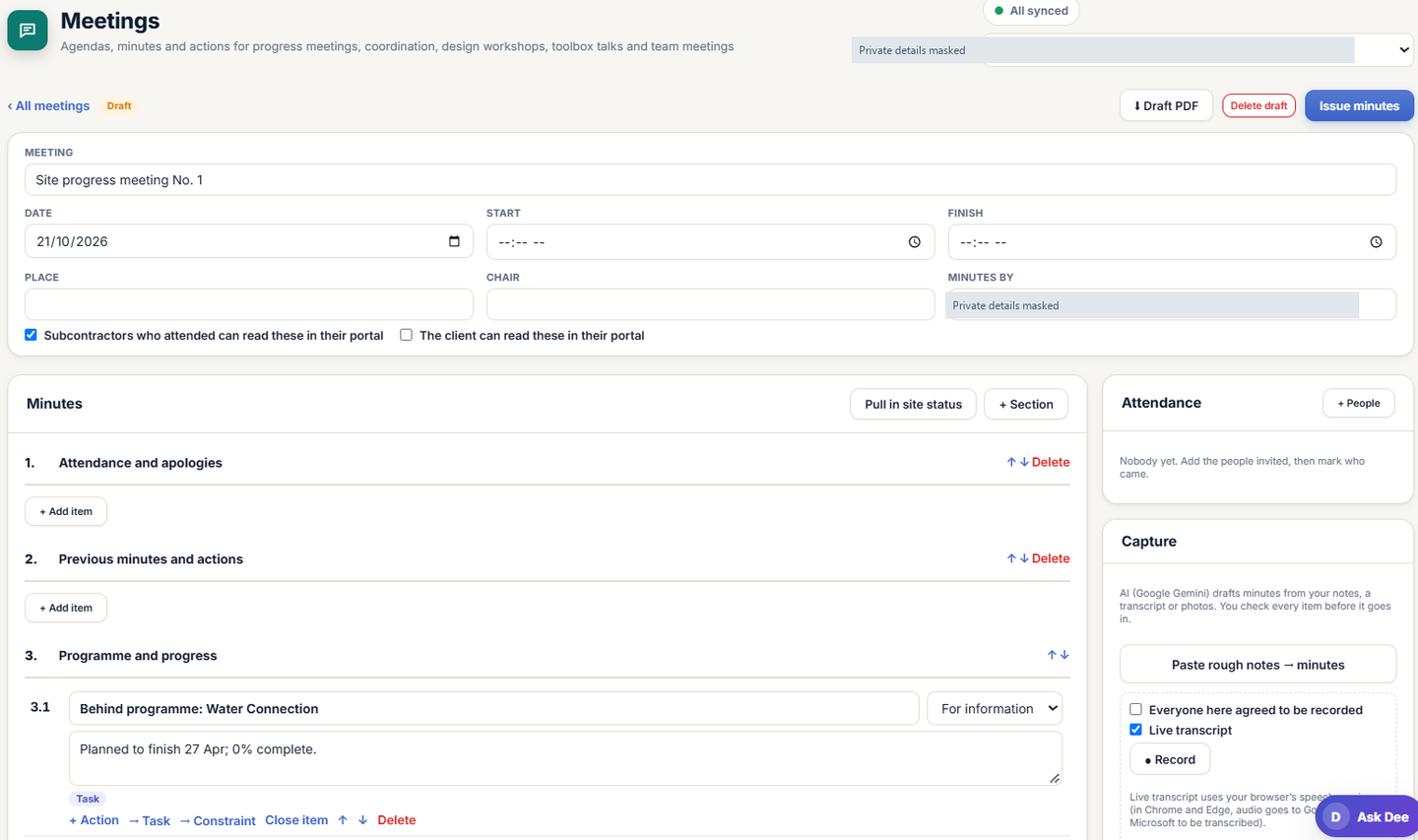
Meetings
From the agenda to the actions.
Prepare minutes, bring in site status and keep actions and responsibilities with the meeting record.
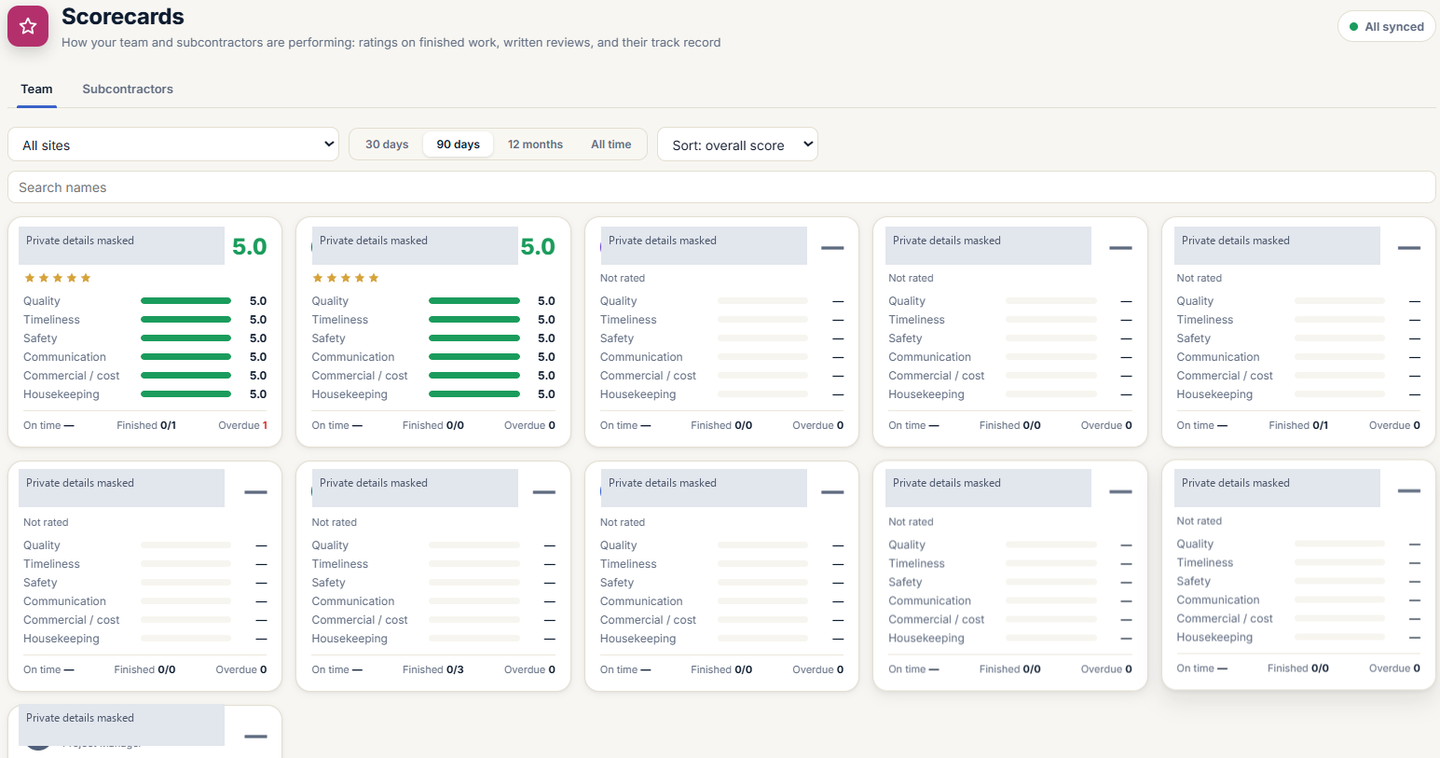
Scorecards
A structured record of performance.
Review quality, timeliness, safety and communication alongside finished-work records.
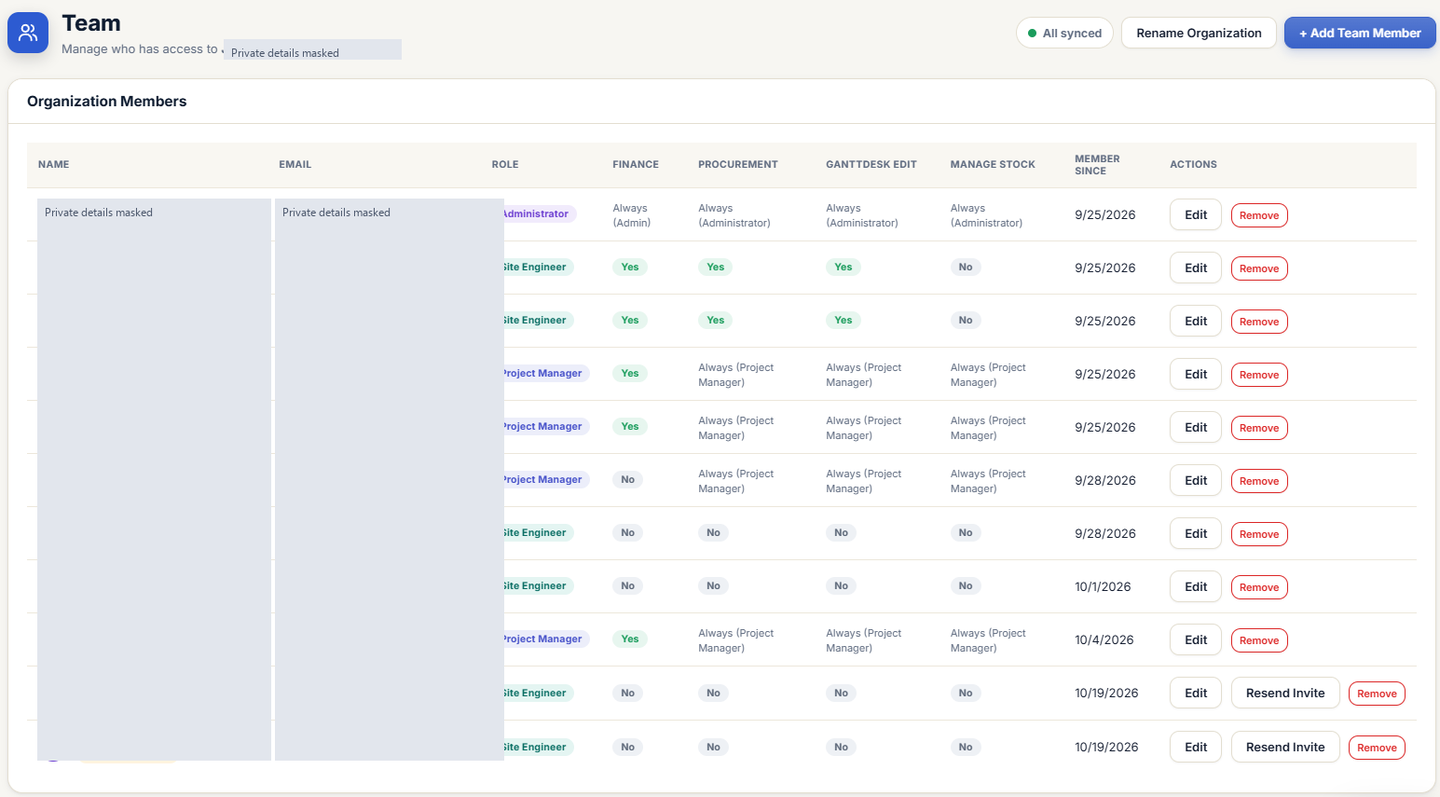
Team administration
The right access for each role.
Manage team membership and access to finance, procurement, scheduling and stock.
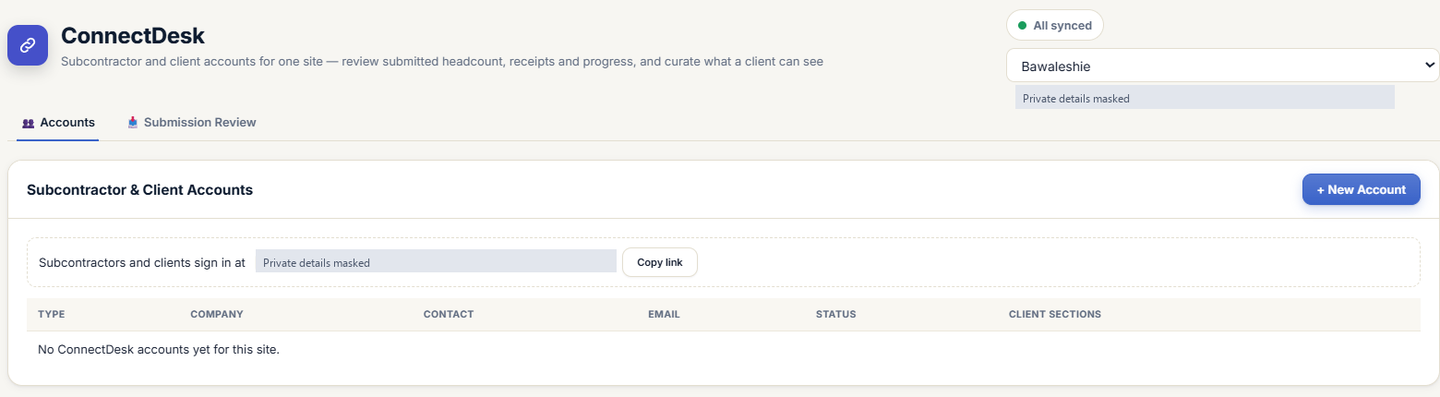
ConnectDesk
A clear boundary for external access.
Site-specific client and subcontractor accounts, submission review and control over what the client can see.
And more
More of the record, connected.
Decisions & documents
Site instructions, RFIs, issues and status-tracked submittals with file previews.
Commercial controls
BOQ, interim valuations and change orders alongside procurement, stock, transfers and timesheets.
Quality records
Inspection checklists, punch lists and defects, with the work and its supporting records in view.
The daily report
Work progress, manpower, equipment, materials, QA/QC, HSE and site photos in the day's record.
05 · Pricing & access
Priced in cedis. Details on the way.
Site Desk will be priced in Ghana cedis (GHS). Plan amounts and the live app address are awaiting confirmation.
No Site Desk checkout or sign-up link is active yet. Pricing and a start link will be added when confirmed.